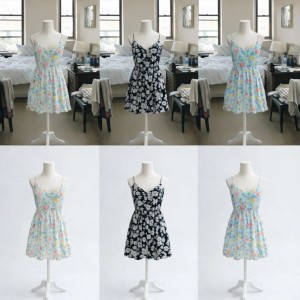
AI Product Photo Backdrops: Studio Looks Fast
Create photorealistic studio backdrops and product photography setups in seconds with AI background generators. No studio, no props, no expensive equipment n...
Your storefront is a mess. Product photos in your bedroom, others on the kitchen counter, that one shot in the bathroom (we’ve all been there). Customers notice. They might not say it, but they notice when your listings look like they came from five different businesses. Professional product photography costs thousands. A studio setup? Hundreds more. Props, lighting, backdrops-it adds up fast. Or you could use an ai background generator and create photorealistic studio backdrops in seconds.
I’ve worked with tons of sellers who struggled with this exact problem. They’re taking great photos with their phones-seriously, modern phone cameras are incredible-but the background? That’s where things fall apart. Inconsistent lighting, random household objects in the frame, zero cohesion. Their storefront looks like a garage sale, not a brand. Here’s the thing: you don’t need a studio. You don’t need to buy $500 worth of backdrop paper and props. You just need the right ai background generator.
Why Backdrop Consistency Matters
Your product photos are your storefront. Literally. When a buyer lands on your Etsy shop or Shopify store, those images are what they judge you by. Inconsistent backdrops scream “I’m just starting out” or “I don’t take my business seriously.” That’s harsh, but it’s what buyers think, even if they don’t realize it.
A cohesive storefront with consistent backdrops creates trust. It looks professional. It says “I’ve got this together.” And here’s what nobody tells you: you can achieve that look without a physical studio. The best ai background generator can create a photorealistic studio setup once, then let you apply that same backdrop to every single product in your catalog. Same lighting, same shadows, same vibe across everything you sell.
The Old Way vs. The AI Background Generator Way
Let me break down what sellers typically do:
Old method (painful):
- Rent or build a studio space
- Buy backdrop paper, seamless rolls, props
- Set up professional lighting equipment
- Hire or become a photographer
- Spend hours editing each photo to match
- Repeat for every new season or product line
AI background generator method (fast):
- Use your phone to snap product photos anywhere
- Generate a photorealistic backdrop in seconds
- Apply that same backdrop to all your products consistently
- Done
The ai background generator approach saves you money, time, and your sanity. No props to store, no equipment to maintain, no physical studio needed. You’re not just editing photos-you’re creating a branded photography studio that lives in the cloud.
Create Your Studio Backdrop with AI Background Generator
Here’s how it works. You’ll create a master backdrop-a studio setup you can use as a reference for every product photo you take. This is a game-changer for consistency. Once you have this base image, you can place any product into the exact same lighting, the same shadows, the same environment. Let me show you how.
Step 1: Generate Your Studio Setup
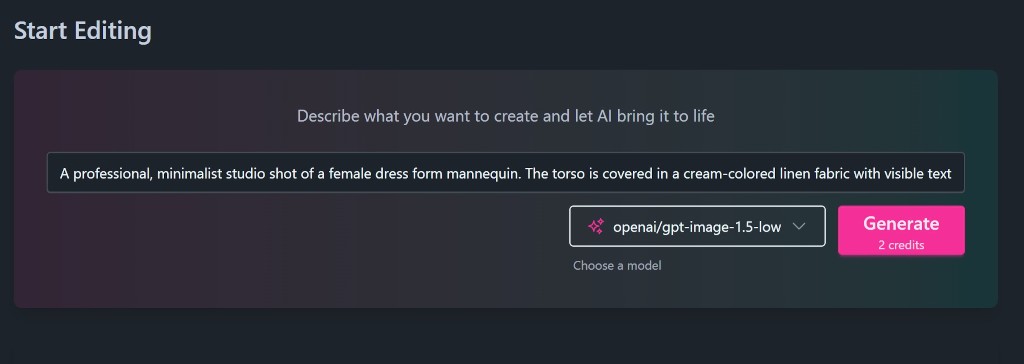
Log into ImageFix. The image generation area is right on your dashboard-that’s the first thing you’ll see. Choose the openai/gpt-image-1.5-low model. It’s affordable (just 2 credits) and perfect for this type of work.
Now for the prompt. This is where the magic happens. You want a clean, minimalist studio setup that works for any product. Here’s the prompt I recommend:
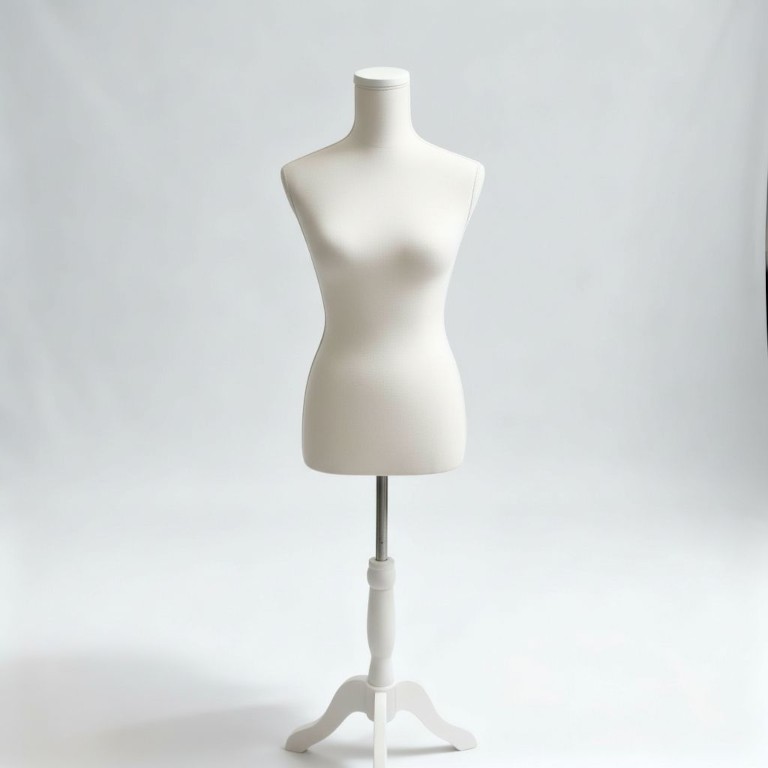
“A professional, minimalist studio shot of a female dress form mannequin. The torso is covered in a cream-colored linen fabric with visible texture. It features a simple flat neck cap. The mannequin is mounted on a sleek white wooden tripod base with a silver metal adjustable pole. The background is a seamless, bright white infinity cove with soft, diffused professional lighting and subtle shadows on the floor. High resolution, clean aesthetic, product photography style”
Let me unpack what makes this prompt work so you can tweak it for your own needs:
-
“Linen fabric with visible texture”: This prevents the mannequin from looking like shiny plastic or cheap fiberglass. The texture adds realism and makes the final result look like high-end product photography.
-
“Infinity cove”: This is photography-speak for a background with no visible corners or edges. It creates that endless white look you see in professional studio shots. Your product appears to float in infinite space, which looks clean and expensive.
-
“Female dress form”: Specifically a dress form (torso-only), not a full mannequin with a head and limbs. This gives you more flexibility for different product types while keeping the setup minimal.
-
“Tripod base”: This ensures the generator gives you three legs instead of a flat circular or square base. Tripods look more professional and create interesting shadow patterns on the floor.
Step 2: Wait for Generation
Click “Generate” and you’ll be taken to the editor. The ai background generator works fast, but give it about 15 seconds. This isn’t like waiting for Photoshop to render-it’s more like waiting for your coffee order. While it’s generating, you’re already thinking about all the products you’re going to photograph with this backdrop.
Step 3: Review Your Studio Backdrop
Once it’s done, you’ll see your professional studio backdrop with the bare mannequin in the center. This isn’t just a nice image-it’s a template. This is your branded studio setup that you’ll use across every product in your catalog. The lighting is perfect. The shadows are realistic. The infinity cove creates that clean, endless white background that makes products pop.
This is the power of a quality ai background generator. You’re not creating one product photo-you’re creating a photography studio you can reuse infinitely.
Step 4: Name Your Image Set
Here’s a pro tip: organize your work from the start. Near the top of the editor, you’ll see the image set name with a pencil icon. Click it and rename this set to something meaningful. I’d suggest “Studio Props” or “Master Backdrop” or whatever makes sense for your workflow.
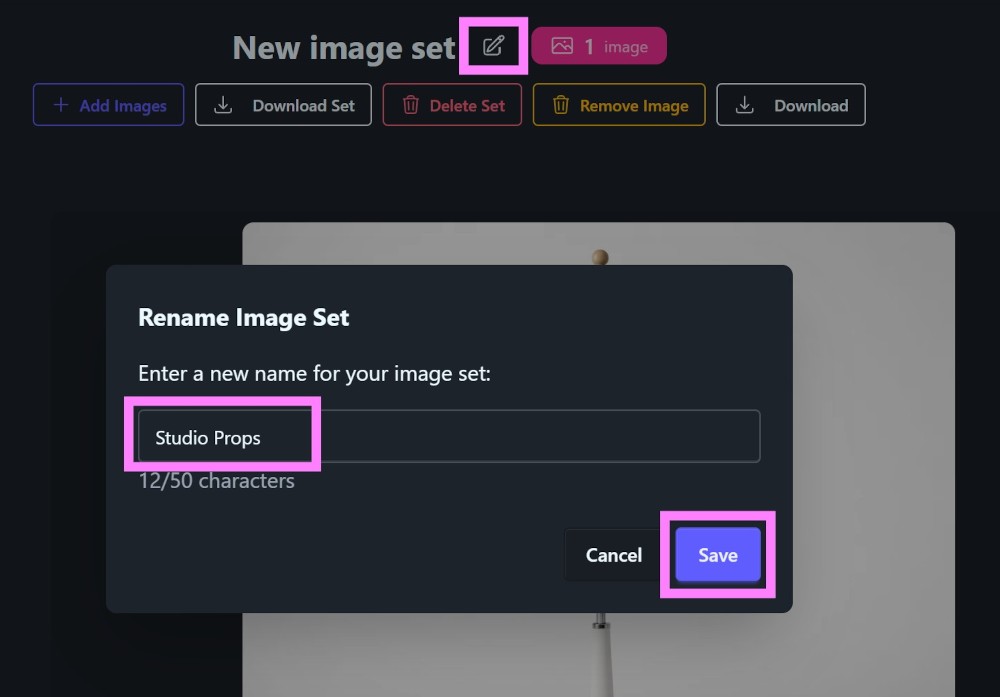
Click save, and you’re done. You now have a branded studio backdrop ready to use with any product you want to photograph.
Using Your Studio Backdrop Across Your Catalog
This is where everything comes together. You’ve created your master backdrop-the “Studio Props” image set. Now you can use ImageFix’s Single Image Reference tool to place any product into this exact same studio setup. Your dresses, your jewelry, your accessories-they all appear in the same lighting, the same environment, with the same professional shadows. Your entire storefront looks like it was shot in a high-end studio. Because it was-just a virtual one.
I’ve seen sellers completely transform their shops with this approach. One day their storefront looks like a random collection of photos from different locations. The next? Cohesive, professional, brand-consistent product photography that converts browsers into buyers. All from a single ai background generator session.
Want to see how to use these studio props to create consistent product photography across your entire catalog? Check out my complete guide to AI product photos for Shopify where I walk through the entire process step-by-step.
Beyond Backdrops: What Else Can AI Do?
The ai background generator is just the start. Once you’re comfortable creating studio backdrops, you can explore:
- Product lifestyle photography: Place your products in real-world scenes-on a kitchen counter, in a cozy living room, on a beach at sunset
- Seasonal themes: Create holiday-specific backdrops (Christmas decorations, autumn leaves, spring flowers) and swap them in for seasonal promotions
- Brand-specific environments: Match your backdrop to your brand colors-pastels for a boutique aesthetic, industrial textures for a modern look
The best ai background generator adapts to your needs, not the other way around. You describe what you want, and AI makes it happen.
Stop Waiting for Perfect Conditions
I used to tell myself “I’ll take professional photos when I have better lighting” or “I’ll redo my listings when I can afford studio space.” Those excuses cost me sales. Every day my storefront looked inconsistent was another day potential customers scrolled past my products.
You don’t need to wait. Your phone camera is good enough. Natural light works fine. And with the right ai background generator, your products can look like they were shot in a professional studio without the professional studio price tag.
Ready to transform your product photography? Sign up for ImageFix and get 50 free credits-no credit card required. Create your studio backdrop today, then apply it consistently across your entire catalog. Your storefront (and your sales) will thank you.